

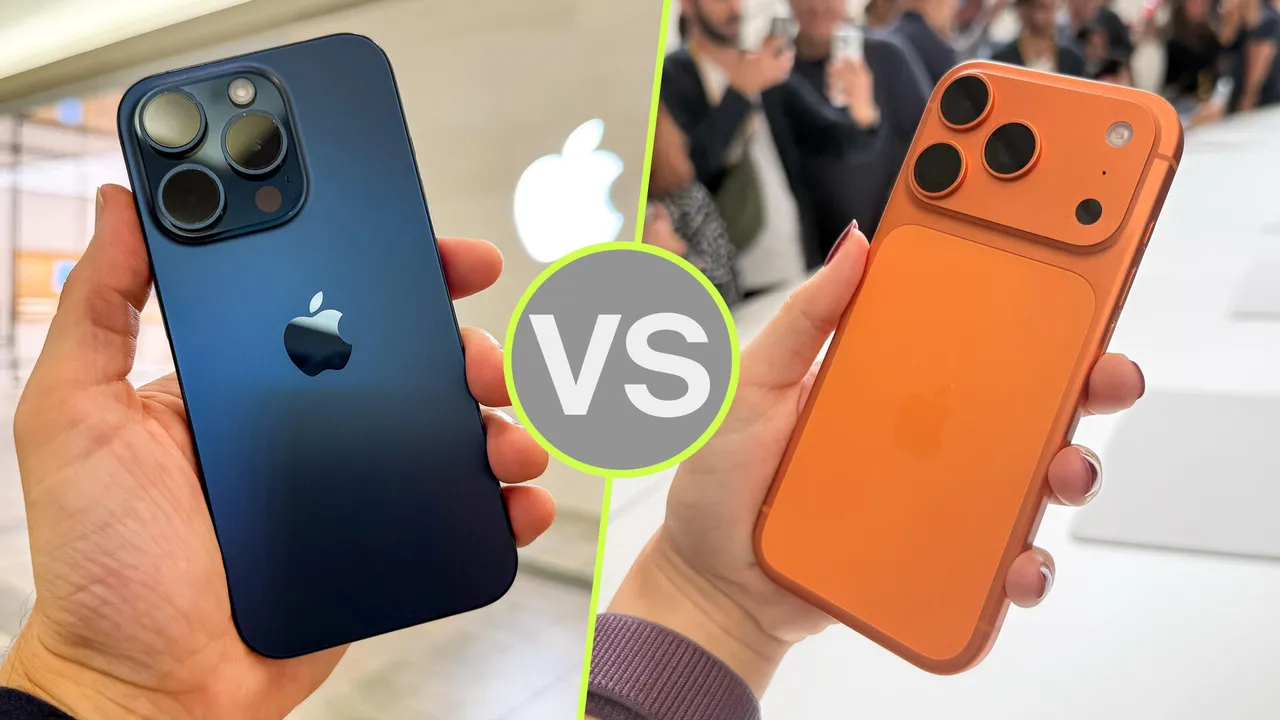
Most phone upgrades fail because the old phone still does the simple things well. It texts, shoots photos, opens maps, and scrolls through the same apps. The real iPhone 17 features worth paying for are different because they hit the parts of ownership that age the fastest: the screen, camera, storage, battery, and long-term software comfort. For many Americans holding an iPhone 11, 12, 13, or even a standard iPhone 14, the question is no longer “Is the new one faster?” That answer is obvious. The better question is whether the upgrade removes the small daily annoyances you have learned to ignore.
That is where this model makes a stronger case than a spec sheet suggests. The smoother display changes how the phone feels. The storage jump means fewer cleanup sessions before a road trip. The camera upgrades help in dim restaurants, school gyms, and busy family rooms. For readers comparing tech decisions across gadgets, consumer electronics upgrade guidance can help frame the purchase as a daily-use decision, not a shiny-object chase. This is a phone for people who want fewer compromises, not bragging rights.
iPhone 17 Features That Change Daily Use First
The smartest way to judge this upgrade is to start with touch, sight, and comfort. Those are the areas you notice before benchmarks, camera charts, or chip names. If your older iPhone has a 60Hz display, the jump to the ProMotion display is one of the rare upgrades that feels obvious in the first hour. Swiping through photos, typing, gaming, and reading long pages all feel calmer. That sounds small until you remember how often you touch your phone in one day.
Why the 120Hz screen feels bigger than the size change
A 6.3-inch screen is not a giant leap on paper, but the display upgrade changes the feel of the whole phone. The ProMotion display can refresh up to 120Hz, so motion looks less jumpy than it does on older standard iPhones. You see it when scrolling a recipe in the kitchen, switching apps while parked outside school pickup, or trimming a video before sending it to a group chat.
The counterintuitive part is that the smoother screen may matter more than raw processor speed for many owners. An iPhone 12 can still open messages. It can still load Instagram. What it cannot do is make every gesture feel as calm as a newer high-refresh screen. Speed is often invisible. Motion is not.
Apple also moved the standard model closer to what Pro buyers used to get. That matters for families in the USA who often buy one phone and keep it for four or five years. Paying for a display that will still feel current in 2028 is different from paying for a display that already feels behind at checkout.
How durability and comfort reduce upgrade regret
Older phones rarely fail all at once. They collect scratches, weak battery habits, loose charging routines, and small screen cracks that you promise to fix later. Ceramic Shield 2 on the front glass gives the newer model better scratch resistance than the last standard generation, which matters if your phone spends time in a purse, backpack, work truck, or cup holder.
A stronger front surface does not mean you should skip a case. It means the phone has a better chance of aging without looking tired after one rough year. That matters for trade-in value too. A clean screen can make the difference between a decent credit and a disappointing one when you trade again.
For an older iPhone upgrade, comfort also comes from fewer accessory headaches. MagSafe support, modern wireless charging options, and better display brightness make the phone easier to live with in cars, kitchens, nightstands, and office desks. The best upgrade is not the one you admire on day one. It is the one you stop thinking about because it stopped bothering you.
Camera and Storage Upgrades Matter More Than Megapixels
After the display, the next upgrade most people feel is the camera. Older iPhones can still take good shots in sunlight, but real life is not a product demo. Kids move. Pets refuse to pose. Restaurant lighting turns faces orange. A dim living room can make a birthday photo look older than the phone itself. The iPhone 17 camera setup is built for those ordinary, messy places where older sensors begin to show their age.
What the dual 48MP rear cameras fix in normal life
The standard model’s dual 48MP rear camera system gives you more room to crop, capture wider scenes, and keep detail in photos that older dual-camera iPhones often flatten. Apple’s iPhone 17 technical specifications list the camera details in full, but the buyer takeaway is simple: the main camera also supports an optical-quality 2x crop, which is useful for portraits, food shots, pets, school events, and items you want to sell online.
That 2x option matters because many people do not need a huge zoom lens. They need a cleaner middle distance. Think about taking a photo of your kid on a small stage from the fifth row, or snapping a picture of a menu board without walking closer. A strong 2x range often gets used more than an extreme zoom that sounds better in ads.
The Ultra Wide upgrade is also less about dramatic landscape photos and more about cramped American spaces: apartments, open houses, dorm rooms, kitchen remodels, and packed holiday tables. A wider camera with better detail helps when backing up is not possible. That is a quiet but useful fix.
Why 256GB starting storage changes the value math
Storage is one of the least glamorous reasons to buy a new phone, yet it may be the one that saves you the most stress. Starting at 256GB gives many users breathing room they did not have on 64GB or 128GB older models. Photos, 4K clips, offline playlists, large apps, and message attachments add up fast.
The non-obvious insight is that more storage can make the camera upgrade matter more. A better camera is less useful if you hesitate before recording because you are near the limit. Parents know this feeling. So do small business owners who film quick product clips, contractors who document job sites, and students who keep lecture files and media on one device.
For an older iPhone upgrade, storage also affects how long the phone stays pleasant. A full phone slows your routine because every new photo becomes a tiny decision. Delete this video? Offload that app? Move files to the cloud again? A larger base model turns those nagging decisions into rare chores, which is worth more than it sounds.
Performance, Battery, and AI Readiness Are the Long-Term Case
A new chip is easy to mention and hard to judge. Most people do not sit around timing app launches with a stopwatch. They care when the phone stays cool during navigation, keeps up with editing, handles games without stutter, and does not feel worn down by the next few iOS releases. The A19 chip is not only about today. It is about buying enough headroom for the next stretch.
Why the A19 chip helps beyond speed tests
The A19 chip gives the standard model a longer runway for apps, camera processing, security tools, and Apple Intelligence support. That matters more if you are coming from an iPhone 11, iPhone 12, or iPhone 13. Those phones may still work, but they were built for a lighter software era.
The practical example is not a lab benchmark. It is a travel day. You are using Maps, taking photos, switching to a boarding pass, replying in Messages, and checking a rideshare price while the battery is dropping. An older phone can do it, but it may feel strained. A newer chip handles that kind of layered use with less friction.
There is a catch worth saying out loud. If you own an iPhone 15 Pro or a newer model, the upgrade case is weaker unless you want the display, battery, or camera changes. The smartest buyer does not upgrade because the number changed. They upgrade because the older phone no longer fits the day.
The battery upgrade is about trust, not hours
iPhone battery life is personal because every user drains a phone in a different way. One person streams video on a lunch break. Another runs navigation for a delivery route. Someone else records youth sports on Saturday morning and needs enough charge for dinner plans later. Official video playback ratings help compare models, but they do not tell the whole story.
The real gain is trust. A phone with stronger efficiency and faster charging changes how often you scan for an outlet. If you can reach a useful charge during a short stop at home or in the car, the phone becomes less demanding. That matters in suburbs, airports, college campuses, and long workdays where charging is possible but never convenient.
Here is the twist: better iPhone battery life can make you use the phone less nervously. You stop dimming the screen to a miserable level. You stop closing apps out of habit. You stop avoiding video because the percentage looks scary. That freedom is hard to show in a chart, yet it is one of the clearest signs that an upgrade was worth it.
Which Older iPhone Owners Should Upgrade Now
The upgrade decision depends less on age alone and more on what your current phone makes you tolerate. A cracked screen, weak battery, tight storage, dim display, and fading camera are all signs that the math has shifted. Buying a new phone too early wastes money. Waiting too long can make daily use feel like a string of small compromises.
iPhone 11, 12, and 13 owners get the clearest jump
If you are using an iPhone 11, the move is easy to defend. You gain 5G if you skipped it, a much better screen, better cameras, stronger battery behavior, and a modern software base. The same is true for many iPhone 12 owners, especially those with poor battery health or 64GB storage. At that point, repair money starts to look like a down payment on a better device.
iPhone 13 owners have a more personal call. The phone still holds up for many daily tasks, but the display and camera gap is wide enough to feel. If your iPhone 13 has low storage or a tired battery, the newer model fixes several problems at once. That is when the upgrade stops being cosmetic.
A useful rule: do not compare a perfect old phone to a new one. Compare your actual old phone, with its battery health, scratches, storage warnings, and camera limits. That makes the decision more honest. For a deeper buying framework, use an older phone trade-in checklist before choosing storage, color, and carrier deal.
When iPhone 14, 15, and 16 owners should wait
If you own a standard iPhone 14, the case depends on screen expectations, battery health, and storage. You will feel the display upgrade, and the camera system is stronger. Still, if your current phone is paid off, has healthy battery life, and enough storage, waiting another year may be the better money move.
For iPhone 15 and iPhone 16 owners, the answer gets stricter. Many users should hold unless they have a specific pain point. Maybe you want 256GB without paying for a higher tier. Maybe the 120Hz screen matters because you read and scroll for hours. Maybe the newer front camera helps because you record short videos for work, school, or social media.
The iPhone Air and Pro models also complicate the choice. The Air appeals to people who care most about a thin, light body. The Pro line suits creators who need stronger zoom, more thermal headroom, and heavier video work. The standard model is the balanced pick, which is often the best kind of phone for most households. Before you decide, compare your monthly cost, trade-in value, and repair needs with a smartphone battery buying guide.
Conclusion
A worthy upgrade should solve problems you feel, not chase a number you can brag about. That is why this model has a stronger case for people on older standard iPhones than it does for recent Pro owners. The smoother screen, larger base storage, stronger cameras, newer chip, and better charging rhythm all hit daily friction points.
For many Americans, iPhone 17 features make the most sense when the current phone has become a little annoying in several places at once. One problem alone may not justify the cost. Five small problems together can.
The best move is to judge your own phone honestly. Check battery health, storage pressure, camera frustration, screen condition, and trade-in value. If two or three of those areas already bother you, upgrading is not a luxury purchase. It is a practical reset. Buy the model that fits your routine, skip the extras you will not use, and let the next phone earn its space in your pocket.
Frequently Asked Questions
Is it worth upgrading from iPhone 12 to iPhone 17?
Yes, especially if your battery health is low or you have limited storage. You gain a smoother screen, stronger cameras, more starting storage, better performance, and a more future-ready software base. The change should feel clear in daily use.
Should iPhone 13 owners buy iPhone 17?
Many iPhone 13 owners can justify it if the battery, storage, or camera has become frustrating. The display upgrade alone may feel large if you use the phone for reading, scrolling, and video. A well-kept iPhone 13 can still wait.
Is iPhone 17 better than iPhone 17 Pro for most people?
The standard model is likely the better value for everyday buyers. The Pro is better for advanced zoom, heavy video work, and longer high-load performance. Most users will care more about screen quality, storage, battery trust, and camera reliability.
How much storage should I choose on iPhone 17?
The 256GB starting point is enough for many people. Choose more if you record lots of 4K video, keep years of photos offline, download large games, or use the phone for work files. Storage is cheaper than constant cleanup stress.
Does the ProMotion display make a big difference?
Yes, for people coming from older standard iPhones. Scrolling, typing, gaming, and app switching feel smoother. It is not only a visual upgrade; it changes the way the phone responds to your hand during normal use.
Is the camera upgrade useful if I do not take professional photos?
Yes. The biggest gains show up in normal family, travel, food, pet, and indoor photos. Better detail, improved wide shots, and cleaner 2x framing help in places where older iPhones often struggle, especially indoors or when you cannot move closer.
Should I replace my battery instead of upgrading?
Battery replacement can be smart if the phone is otherwise in good shape. Upgrade if you also have storage limits, screen damage, weak camera performance, or missing newer software tools. Repair fixes one issue; a new phone fixes several.
Will iPhone 17 last for several years?
It should be a strong long-term buy for most users because it starts with modern storage, a current chip, improved cameras, and a display that no longer feels behind the Pro line. Good case care and battery habits will help it age better.